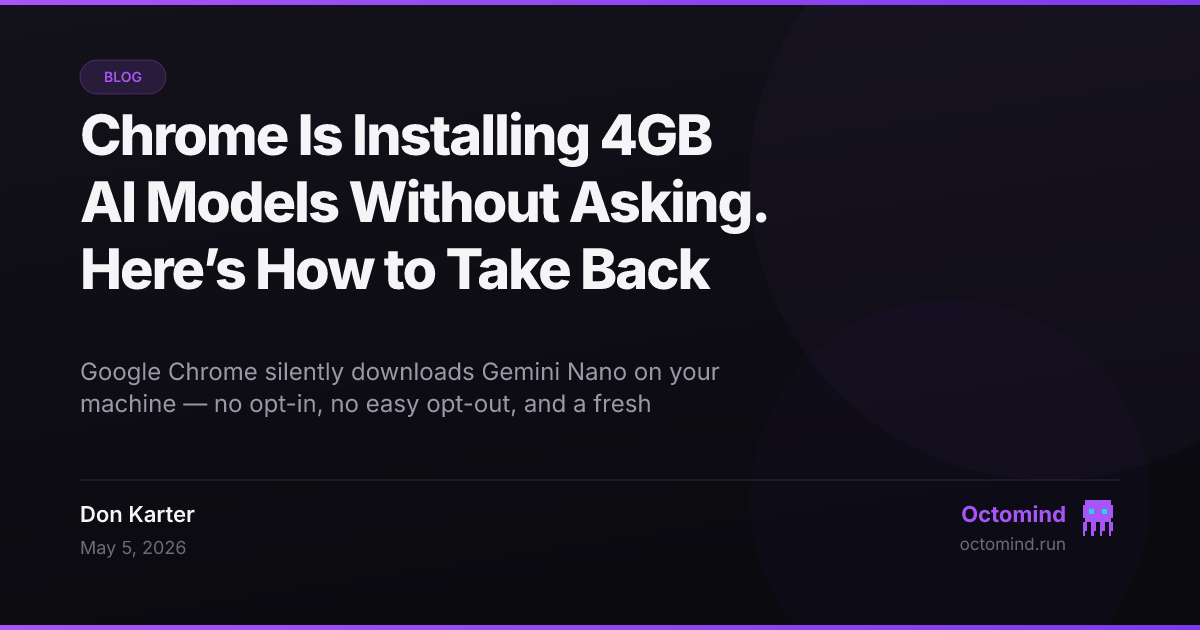
Chrome Is Installing 4GB AI Models Without Asking. Here’s How to Take Back Control.
Last week, millions of people opened their laptops and discovered a 4-gigabyte file they never downloaded.
It wasn't malware. It was Chrome.
Google has been silently shipping Gemini Nano — a local AI model — to user devices as part of routine browser updates. No consent dialog. No clear opt-out. And if you delete it, Chrome re-downloads it automatically. This isn't a feature launch. It's a deployment.
The backlash was immediate. Privacy advocates called it a breach of trust. Developers noticed the disk space vanish. And just days later, Palo Alto Networks disclosed CVE-2026-0628: a high-severity vulnerability in Chrome's new Gemini panel that let malicious extensions access your camera, microphone, and local files.
So now we have two problems: AI running on your machine that you didn't ask for, and a security hole in how it's implemented. Let's talk about both — and what you can do about it.
What Chrome Is Actually Doing
Gemini Nano is a lightweight (by today's standards) language model designed to run locally in Chrome. The idea is reasonable enough: on-device AI for rewriting text, summarizing pages, or answering simple questions without sending data to Google servers.
The execution, though, is anything but reasonable.
- No opt-in. The model arrives as part of a standard Chrome update. Most users have no idea it's there.
- No easy opt-out. Disabling it requires enterprise policy tools or digging into
chrome://flags— not something a regular user will find. - Persistent re-download. Delete the model files, and Chrome fetches them again on next update.
- 4GB of disk space. On a billion devices, that's a staggering amount of storage and bandwidth committed without explicit consent.
Google's position is that this improves the user experience. But "improving experience" doesn't justify silent installations at this scale. There's a difference between shipping a new rendering engine and shipping a neural network that consumes gigabytes, processes user content, and can't be easily removed.
The Security Angle Makes It Worse
The CVE-2026-0628 vulnerability, disclosed by Palo Alto Networks' Unit 42 team, adds a darker layer to this story.
The bug was in Chrome's new Gemini side panel — the same interface that uses the silently-installed model. A malicious extension could hijack the panel to:
- Access your camera and microphone without permission
- Capture screenshots of sensitive sites
- Steal files from your desktop
- Execute AI-powered phishing that looks legitimate because it runs inside an official Google UI
Google patched it in January 2026. But the pattern is troubling: new AI surface area, rushed to billions of users, with security review that apparently missed a flaw this severe. When you combine silent deployment with insufficient hardening, you're not shipping features. You're expanding attack surface.
Why This Matters Beyond Chrome
This isn't just a Google problem. It's a preview of how the major tech platforms plan to handle on-device AI.
Apple has been more explicit about its approach — processing on-device where possible, but clearly labeling what happens and why. Microsoft is weaving Copilot into Windows at the OS level. And every one of these companies has an incentive to make their AI the default, the unavoidable, the opt-out-not-opt-in.
The risk is a future where your operating system, browser, and applications all run proprietary AI models you didn't choose, trained on data you don't control, with capabilities you can't audit. Local processing is sold as privacy-friendly — and it can be — but only when you actually control what's running and why.
Right now, most users don't. And the trend is toward less control, not more.
The Alternative: Run Your Own Models
Here's the good news. You don't need Google's servers or Google's model to use local AI.
Open-source tools have made self-hosted language models genuinely practical. A 4GB model like Gemini Nano is comparable in size to Qwen 2.5, Llama 3.2, or DeepSeek's smaller distilled variants — all of which you can download intentionally, run locally, and control completely.
Ollama is the simplest entry point. One command installs it. Another pulls a model. Within minutes, you have a local API serving requests from your own hardware, with zero data leaving your machine.
# Install Ollama
curl -fsSL https://ollama.com/install.sh | sh

# Pull a capable local model
ollama pull qwen2.5:7b

# It's now running locally on http://localhost:11434
ollama run qwen2.5:7b
That 7B parameter model fits in the same ~4GB footprint as Gemini Nano. The difference is you chose to install it, you know exactly what it is, and you can remove it with ollama rm qwen2.5:7b.
Connecting Local Models to Your Workflow
Running a model locally is step one. The harder part is making it useful for actual work — coding, analysis, writing, debugging.
That's where an agent runtime comes in. You need something that can:
- Talk to your local model via standard APIs
- Maintain context across long sessions
- Use tools — file editing, terminal commands, web search — without leaking data
- Switch between local and remote models depending on the task
This is exactly what we built Octomind for. It's an open-source AI agent runtime that connects to any model provider — including local ones via Ollama — and gives you a session-first architecture where your context, memory, and tools stay under your control.
The /model command lets you swap providers mid-session. Start with a cheap local model for routine edits. Route to a stronger remote model for complex analysis. You're not locked into one vendor's pricing, policy changes, or silent updates. You decide what runs and when.
And because Octomind is Apache 2.0 licensed and runs as a single binary with zero external dependencies, there's no hidden infrastructure, no telemetry you can't audit, and no 4GB payload arriving unannounced.
What You Can Do Right Now
If you're a Chrome user and this bothers you — and it should — here's the short version:
-
Check what's installed. Chrome stores the Gemini Nano model in your user profile. On macOS, look in
~/Library/Application Support/Google/Chrome/. On Windows,%LOCALAPPDATA%\Google\Chrome\User Data\. The exact path shifts between versions, which is itself a red flag. -
Disable via flags. Navigate to
chrome://flags/#optimization-guide-on-device-modeland set it to Disabled. This isn't a proper settings toggle — it's a developer flag exposed to users because Google didn't build a real off switch. -
Consider your browser choice. Firefox, Brave, and Safari aren't shipping silent AI installations at this scale. If control matters to you, this is a reasonable time to re-evaluate your default.
-
Run local AI intentionally. If you want on-device language models, use tools designed for transparency: Ollama, llama.cpp, or any of the open weights from Mistral, Meta, Alibaba, or DeepSeek. Install them because you chose to. Remove them because you can.
The Bigger Picture
We're at an inflection point. AI is moving from cloud APIs to local hardware, which is technically a win for privacy — if the user controls it. But the major platforms are treating this transition as an opportunity to normalize invisible infrastructure, proprietary models, and vendor lock-in under the banner of "helpful features."
Chrome silently installing Gemini Nano isn't just a privacy misstep. It's a signal about the default future the tech giants are building: one where AI is ambient, unavoidable, and theirs.
The alternative is simple but requires intention. Run open models on your own hardware. Use tools that let you see and control what's happening. And push back on the idea that "local AI" means "whatever the browser vendor decided to ship."
Your machine. Your models. Your choice. That shouldn't be a radical position. But right now, it kind of is.
Try Octomind with local models → github.com/muvon/octomind
Get started with Ollama → ollama.com